Your first fight
One scene, no bands, about ten minutes. You need a character with a weapon and at least four minions of the same kind.
Prepare
- Mark the minions and place four or more of them on a scene, close together.
- Add the character and the minions to a combat, roll initiative and click Begin Combat. Then move the turn to the character.
- Optional: turn on Enable Debug in the module settings and open the browser console (F12). Minion! logs every step of each damage event there.
A plain hit
Attack one minion with a weapon. If the attack hits, the minion drops to 0 hit points and gets the Dead status. If the damage is no higher than the minion's hit point maximum, that's all.
An overkill
Attack another minion and roll more damage than its hit point maximum. Against a minion with 6 hit points, 20 damage leaves 14 to spare: enough for three more minions, because each one takes 6 and a partial one counts as a whole.
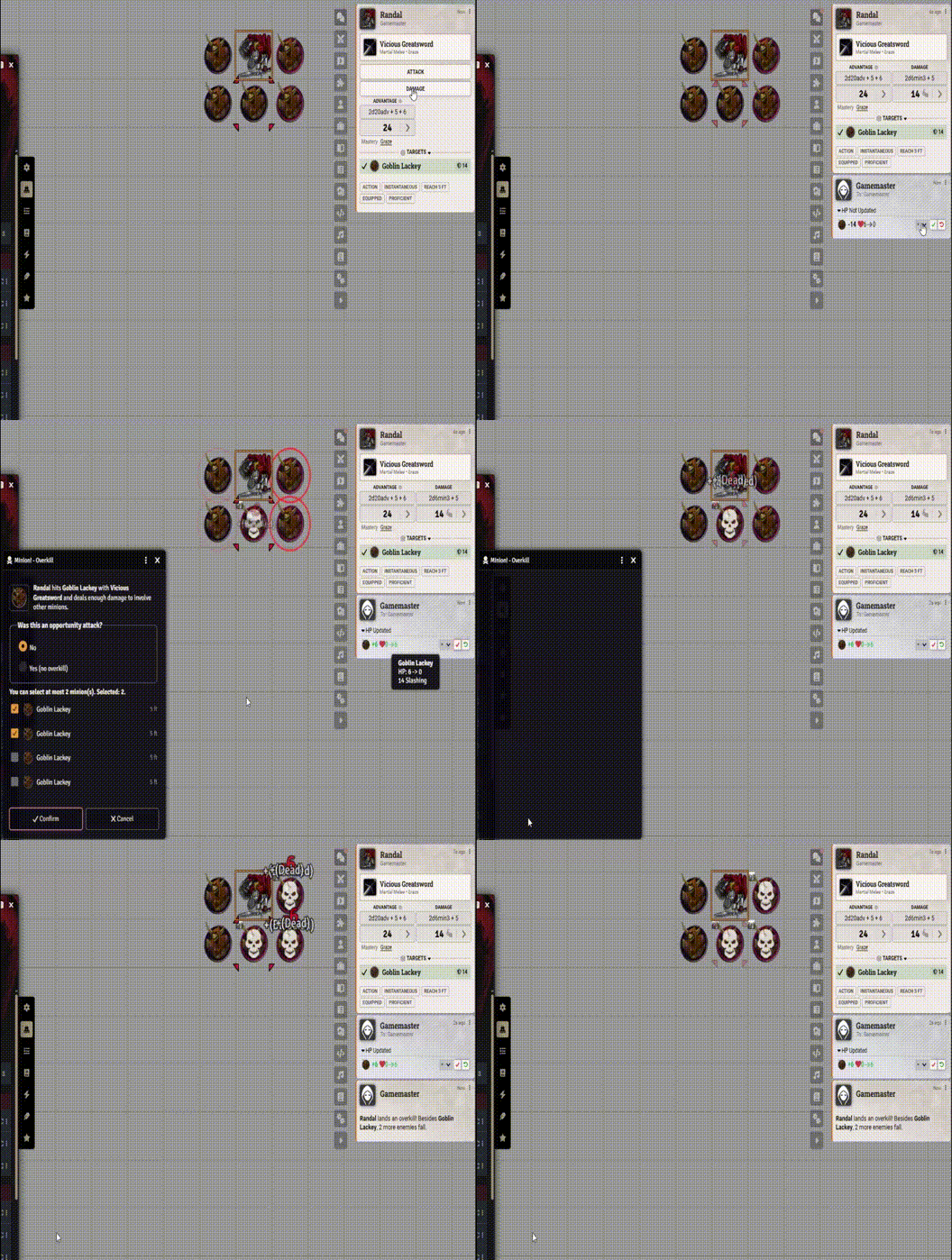
- The character's player gets the overkill dialog. The minions nearest to the one you hit are already checked, and red rings mark them on the map. Only the player deciding sees the rings.
- The dialog never lets you check more minions than the damage pays for.
- Click Confirm. The checked minions drop, and a chat message says who made the overkill.
If the player isn't connected, the GM gets the dialog. If the player is connected, the GM gets a waiting window with Decide for them and Cancel overkill.
An opportunity attack
Pass the turn to someone else and attack a minion again with the character. This time the dialog first asks Was this an opportunity attack? Answer Yes (no overkill): the minion list goes grey. Click Confirm to close the dialog. Only the minion you hit drops.
Next
- The Minion trait and overkill in full.
- Bands, if you want a horde to take a single place in the tracker.